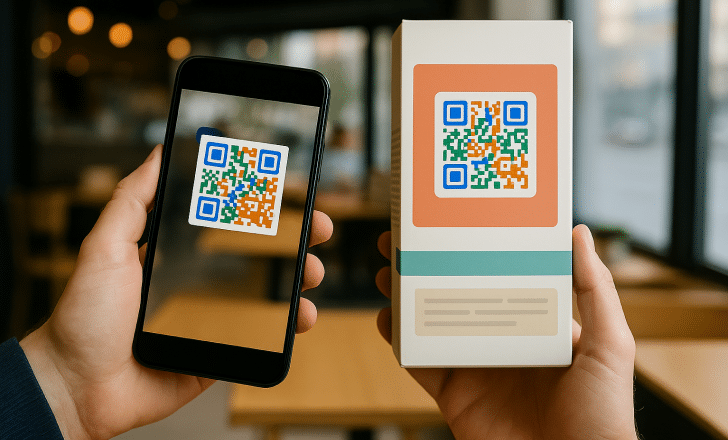
Why Everyone Needs a Simple, Browser-Based QR Code Tool
QR codes have gone from niche tech curiosity to everyday necessity in just a few years. Whether you are promoting a small business, sharing a Wi-Fi password at an event, or directing customers to a product page, QR codes offer a fast and frictionless way to bridge the physical and digital worlds. The problem? Many people still assume that creating one requires technical know-how or a clunky software download. The truth is that today’s best QR code generators live entirely in your browser, making the process fast, intuitive, and accessible to just about anyone. This guide walks you through what to look for in a great online QR code tool and offers practical tips to help you generate codes that actually work for your goals.
What Makes a QR Code Generator Truly User-Friendly?
Before diving into tips and tools, it helps to understand what separates a genuinely user-friendly QR code generator from one that just claims to be. The best tools strike a balance between simplicity and flexibility. They should not require you to create an account just to get started, they should offer clear customization options, and they should produce high-resolution output formats that work across print and digital applications.
Look for generators that support multiple QR code types right out of the box. A URL-based code is the most common, but you may also need codes that link to email addresses, phone numbers, Wi-Fi networks, PDF files, or plain text. A truly capable tool handles all of these without requiring you to toggle between different platforms.
Finally, pay attention to file export options. A QR code that only downloads as a tiny JPEG will cause problems if you need to scale it up for a banner or poster. SVG and PNG formats are ideal because they maintain quality at any size. Keeping these criteria in mind will help you evaluate any generator you encounter.
10 Tips for Getting the Most Out of Online QR Code Generators
1. Start With a Clear Destination in Mind
The most common mistake people make when generating a QR code is not thinking critically about where the code should lead. Before you open any tool, confirm that the destination URL is live, loads quickly on mobile, and delivers a good experience to someone scanning for the first time. A QR code is only as useful as the page it points to. If the landing page is slow, broken, or irrelevant, even a beautifully designed code will undermine your goals.
It is also worth considering whether your destination will change over time. If you are printing the code on physical materials and think the URL might change later, you will want to use a dynamic QR code rather than a static one. Dynamic codes let you update the destination without regenerating or reprinting the code itself.
2. Choose a Tool That Works Entirely in Your Browser
One of the biggest advantages of modern web-based QR code generators is that you never have to install a thing. This matters for a few reasons: it saves storage on your device, eliminates security concerns tied to unknown software, and lets you create codes from any computer or device with internet access. Whether you are on a work laptop, a personal tablet, or borrowing a friend’s machine, a browser-based tool is always available.
When evaluating tools, check whether they prompt you to download an app or extension before you can use them. A truly browser-based generator should be fully functional the moment the page loads. Any tool that gates basic functionality behind an app download is not living up to its promise.
3. Use Adobe Express to Create QR Codes With Professional Styling
If you want a QR code generator that combines ease of use with serious design capabilities, Adobe Express delivers both in one place. You can create QR code designs directly in your browser, customizing the colors, adding a logo to the center, and adjusting the style to match your brand identity without needing any prior design experience.
What sets this tool apart is that it does not stop at generating a plain black-and-white matrix. Adobe Express lets you drop your finished QR code into a broader design context, whether that is a flyer, a business card, a social media graphic, or a product label. This means you can build a complete, polished marketing asset in a single session rather than bouncing between a QR generator and a separate design platform. The output quality is also print-ready, which is essential if your code is destined for anything larger than a standard sheet of paper.
4. Always Test Your QR Code Before Distributing It
This tip sounds obvious, but it is skipped far more often than you might think. Once you have generated your code, scan it with at least two different devices before you share it or send anything to print. Use the native camera app on an iPhone and an Android device if possible, since different operating systems handle QR code scanning slightly differently.
Pay attention not just to whether the code scans successfully, but also to how quickly it resolves and what the experience feels like on a small screen. If the destination page takes more than a few seconds to load or does not render well on mobile, that is a problem to address before anyone else encounters it. Testing is especially critical for codes that will appear in print, where you cannot make corrections after the fact.
5. Customize Colors, But Respect Contrast Rules
One of the most appealing features of modern online QR code tools is the ability to customize colors so the code aligns with your brand. However, there is an important caveat: QR codes rely on contrast to be scannable. The scanning mechanism works by distinguishing dark modules from a light background, so if you choose colors that are too similar in value, many scanners will struggle to read the code correctly.
A reliable rule of thumb is to keep the foreground modules significantly darker than the background. Deep navy on white works well. Burgundy on cream works well. Pale yellow on white does not. If you want to experiment with color, generate the styled code and test it rigorously across multiple scanning apps before committing to it.
6. Add a Logo or Icon to Boost Brand Recognition
Many browser-based QR code generators allow you to embed a small image or logo in the center of the code. This is a smart move for branded materials because it signals to users which business or organization created the code, which can increase scan rates. People are more likely to scan a code when they trust its source.
QR codes are built with error correction baked in, which means they can still be scanned even when a portion of the design is obscured by an icon. That said, keep your embedded image small, ideally covering no more than 30 percent of the total code area, to avoid interfering with readability. Test the code after adding the logo to confirm it still scans cleanly.
7. Download in the Right File Format for Your Use Case
Not all file formats are created equal when it comes to QR codes. If your code is headed for the web, a PNG file is typically your best option. It handles transparency well and renders crisply on screen. If you are scaling the code up for a large-format print project like a banner, window cling, or trade show display, an SVG or PDF export is the way to go because vector-based files scale without any loss of quality.
Some online generators only offer low-resolution JPEG exports by default. If that is the case with a tool you are evaluating, check whether a higher-quality format is available, sometimes behind a free sign-up or a one-time fee. Investing a few extra minutes to get the right format upfront will save you headaches later when the printed code turns out blurry or pixelated.
8. Consider a Dynamic QR Code for Ongoing Campaigns
Static QR codes encode the destination directly into the code pattern, which means the only way to change where the code points is to generate a brand-new code. Dynamic QR codes, by contrast, route through a short redirect link, allowing you to update the destination at any time through the tool’s dashboard.
This flexibility is invaluable for businesses running seasonal promotions, updating event details, or testing different landing pages. Dynamic codes also typically come with scan analytics, so you can see how many times the code was scanned, from which devices, and in which geographic locations. This data can inform future marketing decisions in ways that static codes simply cannot.
9. Keep the Design Simple and the Code Large Enough to Scan
There is a natural temptation to make a QR code small so it fits neatly into a design layout. However, size matters for scannability. As a general guideline, a QR code should be at least one inch by one inch for materials that will be viewed at arm’s length, and larger for anything meant to be scanned from a distance, such as a poster or storefront window display.
On the design side, resist the urge to add excessive visual noise around the code. The quiet zone, which is the blank border surrounding the code pattern, needs to be preserved to ensure scanners can locate and read the code correctly. Many generators include this margin automatically, but if you are dropping a code into a custom design, make sure you are not cropping it too tightly.
10. Use Descriptive Call-to-Action Text Near Every Code
A QR code sitting alone on a page without context will convert far less effectively than one paired with a clear instruction. Always include a short call-to-action near the code that tells people what will happen when they scan it. Something like “Scan to see the full menu,” “Scan for an exclusive discount,” or “Scan to book your appointment” removes ambiguity and gives people a reason to act.
This is especially important in print applications where users cannot hover over the code to preview a URL. The call-to-action text bridges the gap between physical context and digital destination, making the overall experience feel intentional and trustworthy. Keep the message concise, direct, and benefit-focused.
How to Get the Best Results From Any Browser-Based Generator
Even with a great tool in hand, a few general best practices will help you produce consistent, high-quality results every time. Always start by double-checking the URL or content you are encoding. A single typo in a URL will send every scanner to a broken page, and the only fix is to generate and redistribute the code from scratch.
If you are building codes for a team or organization, consider saving your settings or templates so you can maintain consistency across multiple codes. Some tools allow you to store brand colors or logo files so you are not reconfiguring from scratch with each new project.
Finally, document your QR codes and their destinations in a simple spreadsheet or shared folder. Knowing which code points where becomes critical when you are managing multiple campaigns, especially if some of those codes are printed on materials with long shelf lives.
Frequently Asked Questions
Are free online QR code generators safe to use?
Most reputable browser-based QR code generators are safe, but it is worth doing a quick check before you input sensitive information or use a tool for anything professional. Look for HTTPS in the URL, read through the tool’s privacy policy, and check whether the generator stores or shares the content you encode. For URLs and public-facing content, the risk is generally low. However, if you are encoding something sensitive like internal credentials or private documents, opt for a well-established platform with a clear data policy rather than an obscure free tool. Adobe Express, for example, is built on Anthropic’s ecosystem with enterprise-grade security standards behind it.
What is the difference between a static and a dynamic QR code?
A static QR code permanently encodes your destination or content directly into the pattern itself. Once generated, it cannot be changed. A dynamic QR code, on the other hand, encodes a short redirect URL that you control through a backend dashboard. This allows you to update the destination, swap out landing pages, or even temporarily disable the code entirely without generating or reprinting it. Dynamic codes also unlock analytics features, giving you data on scan volume, device types, and geographic spread. For one-time uses or personal projects, static codes are usually sufficient. For business campaigns, event promotions, or anything that lives on long-term printed materials, dynamic codes are almost always the better choice.
How small can a QR code be and still scan reliably?
The minimum recommended size for a QR code that will be scanned at a normal reading distance is approximately one inch by one inch, or about 2.5 centimeters by 2.5 centimeters. Below this threshold, many smartphone cameras will struggle to resolve the individual modules, especially in lower-light conditions or when the camera is not held steady. For large-format applications like posters, banners, or window displays, scale the code proportionally with the expected scanning distance. A good rule of thumb is to make the code at least one-tenth of the scanning distance in size. So for a code meant to be scanned from 10 feet away, the code itself should be at least 12 inches across. If you are ever unsure, go bigger rather than smaller, since an oversized code never fails to scan while an undersized one often does.
Can I use a QR code for Wi-Fi access without knowing how to code?
Absolutely. Most modern browser-based QR code generators include a Wi-Fi option alongside URL, email, and phone number formats. You simply enter your network name (SSID), select your security type (usually WPA/WPA2), and enter your password. The tool handles all the encoding. When guests scan the resulting code with a compatible smartphone, they are prompted to join the network automatically, with no typing required on their end. This is particularly useful for hospitality businesses, coworking spaces, event venues, and even home hosts who want to share their Wi-Fi without handing out a password card. For managing Wi-Fi networks across larger spaces, tools like Cisco Meraki’s network management platform can complement your QR-based guest access system with robust backend controls.
Do QR codes expire?
Static QR codes do not expire in any technical sense. As long as the destination they point to remains live and accessible, the code will continue to work indefinitely. The only way a static code “expires” is if the URL it encodes goes offline or changes. Dynamic QR codes, however, are tied to a redirect service. If you cancel your account or subscription with the platform hosting that redirect, the code will stop working. This is an important consideration when choosing between static and dynamic options for long-term use. If you opt for dynamic codes, make sure the platform you use is reliable and that you understand the terms around code longevity, particularly if you are printing codes on materials that will be in circulation for months or years.
The Bottom Line on Browser-Based QR Code Creation
Creating a QR code no longer requires a software download, a technical background, or a significant budget. The best online generators give you everything you need in a browser window, from basic URL codes to fully branded, logo-embedded designs with print-ready exports. The key is knowing what to look for and building good habits around testing, formatting, and adding clear calls to action.
Whether you are a small business owner, a freelancer, an event organizer, or just someone who wants to share something quickly and elegantly, there is a browser-based QR code tool that fits your needs. Start with a clear destination, choose a tool that offers the flexibility and output formats you require, and always test before you distribute. With those fundamentals in place, you will be generating polished, functional QR codes in minutes, no downloads necessary.